AWS Redshift Admin

Overview of AWS Redshift Admin
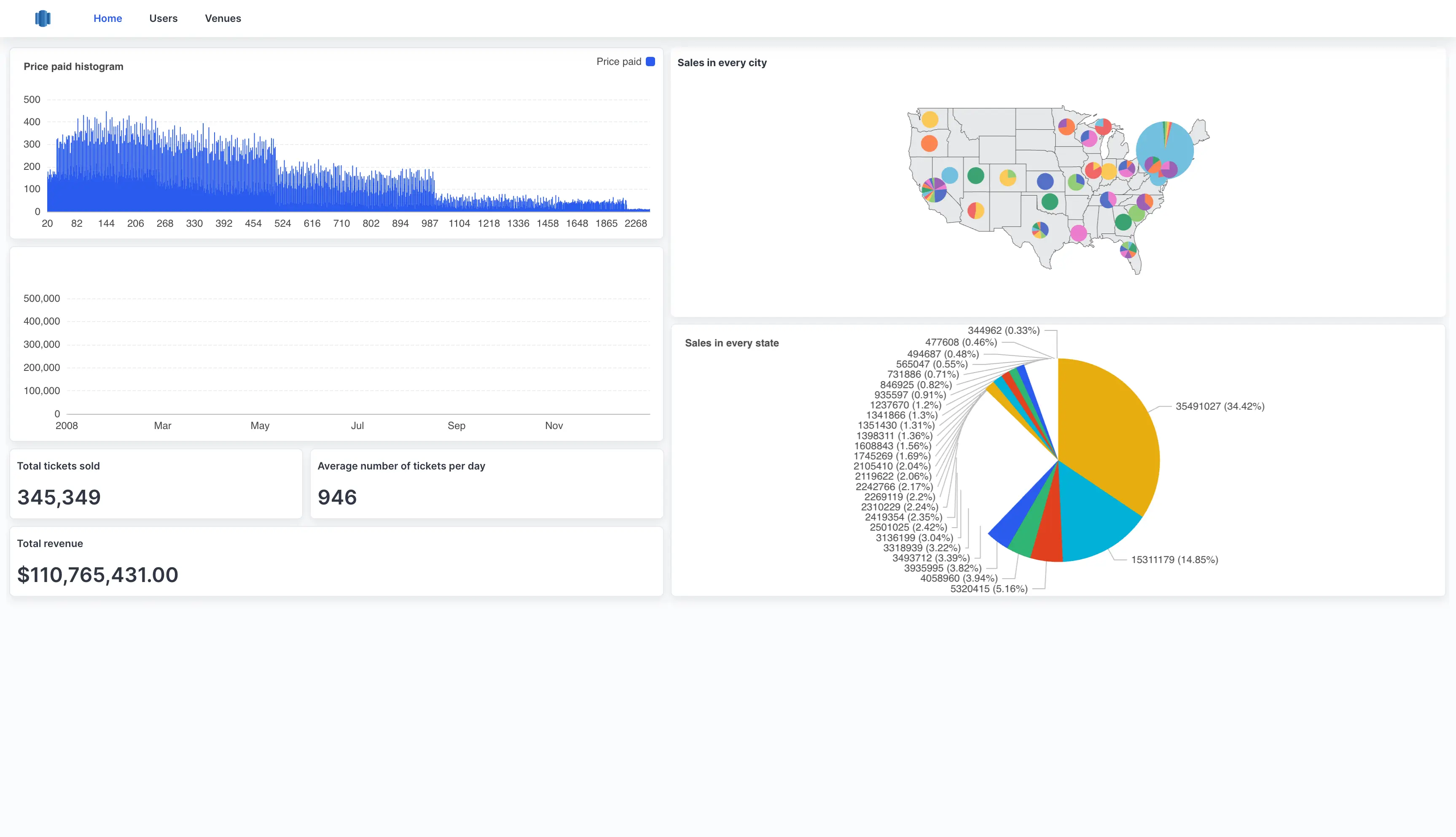
Managing massive datasets and ensuring optimal database performance can be complex. The AWS Redshift Admin dashboard simplifies these tasks with powerful data visualization and management tools. It offers a seamless interface for monitoring query performance, user activity, and storage utilization, facilitating informed decision-making.
Highlights of AWS Redshift Admin
- Cluster Performance Metrics: Monitor vital statistics such as query execution times, storage capacity, and system health to ensure your Redshift clusters are running efficiently.
- User Activity Logs: Track user operations and access patterns to maintain security and optimize resource allocation.
- Storage Insights: Detailed visualizations of storage usage to prevent bottlenecks and manage data lifecycle with ease.
- Custom Query Execution: Execute custom SQL queries directly from the dashboard for on-the-fly data retrieval and management.
How AWS Redshift Admin template works?
UI Bakery enables you to transform your data into dynamic internal tools, leveraging a combination of pre-built and customized components.
Try UI Bakery
- To initiate, click "Sign up".
- Establish your organization and create app "From template"
- Customize your generated application visually by intuitively dragging and dropping components and crafting queries for your resources.
- Expand the capabilities of this application by linking to your personal database, kickstarting the development of robust internal tools.