
Best Retool Alternatives for Internal Tools in 2026
Looking for Retool alternatives usually means one thing: Retool works for some part of your internal tooling stack, but something about cost, deployment, customization, governance, or long-term fit has started to feel limiting.
This guide compares the best Retool alternatives for teams building internal tools, admin panels, dashboards, workflow apps, and database-connected business applications. It focuses on practical buying criteria: what each platform is best for, where it may fall short, how pricing can scale, and what to check before switching.
Try UI Bakery
Pricing and product information last checked: August 2026. Review current vendor pages before making a final buying decision.
Retool Alternatives: Quick Comparison
Use this shortlist to compare Retool alternatives by fit, tradeoffs, and deployment or pricing considerations before reading the detailed tool sections below.
| Tool | Best for | Watch out for | Pricing / deployment note |
|---|---|---|---|
UI Bakery | Custom internal apps, dashboards, workflow apps, AI-assisted building, and flexible access for internal or public app users. | Not an open-source framework; advanced enterprise requirements should be confirmed with sales. | Developer-seat pricing, free plan, self-hosted option, and Enterprise for advanced governance. |
Appsmith | Developer teams that want an open-source internal app builder. | UI and workflow needs may require more engineering ownership. | Free and paid tiers; model the plan around users and support needs. |
Budibase | Teams that want open-source or self-hosted internal tools and simple workflow apps. | Pricing can involve creators, end users, actions, and hosting choices. | Cloud and self-hosted options; usage and add-ons should be modeled. |
ToolJet | Teams evaluating open-source and enterprise app building with AI and workflows. | Enterprise pricing can be a larger commitment. | Free/self-hosted options plus paid cloud and enterprise plans. |
Superblocks | Enterprise teams focused on governed AI app generation and centralized controls. | May be more than smaller teams need. | Team and custom enterprise pricing. |
DronaHQ | Business and IT teams building internal tools, portals, forms, and mobile or web apps. | Pricing model has several options; compare it against your usage pattern. | User-based, usage-based, and developer-only models. |
Jet Admin | No-code teams building simpler business apps, admin panels, and portals. | Less suitable when deep customization or developer workflow is required. | Confirm current plan limits and per-user cost. |
How We Compare Retool Alternatives
We compare Retool competitors by the factors that usually matter once internal tools become business-critical: app-building speed, data source and API support, UI flexibility, custom logic, roles and permissions, audit needs, deployment options, pricing model, total cost of ownership, and migration effort.
Build and customization
Check whether your team can build the exact apps it needs: dashboards, admin panels, approval tools, portals, workflow apps, and database-connected business applications.
Governance and deployment
Review self-hosted or managed deployment, access control, environments, release history, audit needs, and how changes are reviewed before production use.
Retool Alternatives by Use Case
Best for custom internal apps
UI Bakery is a strong shortlist option when teams need internal apps, dashboards, workflow apps, database/API connectivity, AI-assisted building, roles, environments, and self-hosted deployment options.
Best open-source Retool alternatives
Appsmith, Budibase, and ToolJet are worth evaluating when source visibility, self-hosting, and open-source ownership are core requirements.
Best for enterprise AI app generation
Compare UI Bakery, Superblocks, and Retool when AI-assisted app creation needs to work alongside governance, deployment, and approval requirements.
Best for no-code business teams
Jet Admin and DronaHQ can be useful for teams that prioritize no-code assembly and simpler business workflows over deep developer customization.
Best for self-hosted internal tools
Compare UI Bakery, Appsmith, Budibase, and ToolJet when deployment control is a primary requirement. Confirm plan limits, update model, and support coverage before choosing.
Best when Retool pricing is the trigger
Start with total cost of ownership, not the visible monthly price. For detailed Retool pricing context, read the Retool pricing guide.
Pricing and TCO Considerations
Retool pricing alternatives should be compared with a complete usage model. Include builder seats, internal users, external users or portals, workflow and automation usage, AI usage, self-hosted or dedicated deployment, support, professional services, and the cost of rebuilding or redesigning existing apps.
For a focused UI Bakery and Retool comparison, see UI Bakery vs Retool. For deployment context, review self-hosted UI Bakery.
Migration Readiness: What to Check Before Switching
Inventory current apps
- List active Retool apps and owners.
- Document databases, APIs, auth, permissions, custom JavaScript, workflows, and scheduled jobs.
- Flag embedded apps, external users, and production-critical workflows.
Decide rebuild vs redesign
- Classify apps by complexity and business impact.
- Pick one non-critical pilot app before a broader migration.
- Use integrations, templates, and the AI app generator to estimate implementation effort.
FAQ
What is the best Retool alternative?
The best Retool alternative depends on the reason you are switching. UI Bakery is worth shortlisting for custom internal apps, AI-assisted app building, database/API connectivity, self-hosted deployment options, and predictable access for app users.
What are the best open-source Retool alternatives?
Appsmith, Budibase, and ToolJet are the main open-source Retool alternatives to evaluate. Compare them by hosting model, UI flexibility, workflow needs, support, and total ownership cost.
Should Retool migration be a separate project?
Usually yes. Treat migration as a scoped rebuild or redesign project. Inventory apps, data sources, permissions, custom code, workflows, and users before choosing a platform.
Is UI Bakery a Retool competitor?
Yes. UI Bakery competes with Retool for teams building internal tools, admin panels, dashboards, workflow apps, and business applications on top of databases and APIs. For broader context, see internal tools.
Retool

Retool is a low-code platform for building internal tools, admin panels, dashboards, and workflow apps on top of databases and APIs. It is a strong default for many developer-led teams, but it is not always the best fit when pricing predictability, deployment control, non-technical collaboration, or vendor flexibility become priorities.
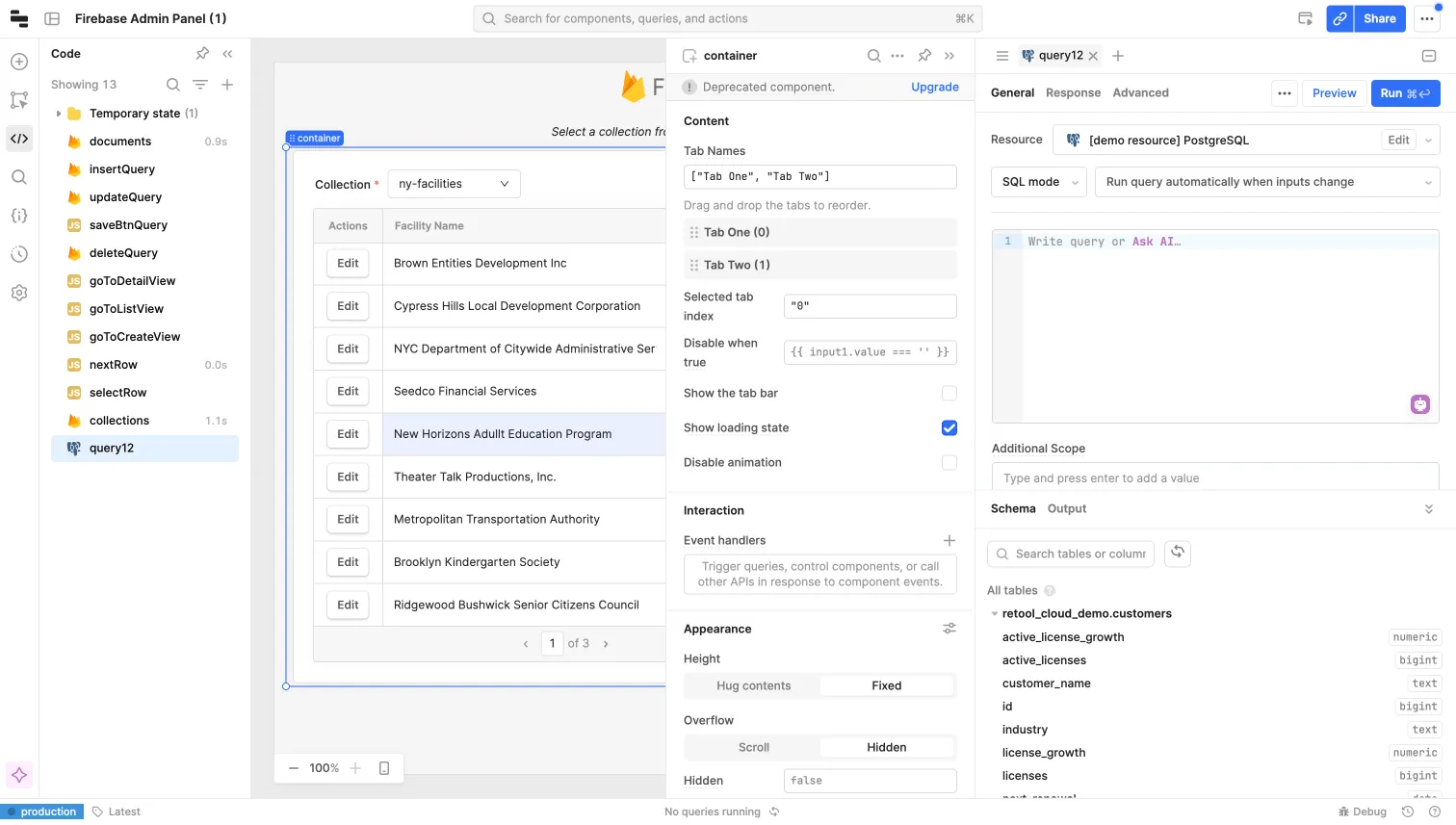
Large number of features that allow to scale internal tool development for large enterprises.
Large number of components and data sources available.
Git integration.
Embedded DB.
Workflows/Automations feature that allows to run scheduled jobs and web hooks.
Easy way to install a self-hosted version.
Enterprise self-hosted version base cost is very high.
Unpredictable per user pricing, that scales too quickly as you add more users.
Because of a single page app model, large applications can have bad performance.
Large applications are also hard to maintain and debug
Test performance and responsive behavior with realistic data, query patterns, and target devices before rollout.
Reasons for seeking alternatives to Retool
Retool is a strong internal tool builder, especially for developer-led teams that need to assemble apps on top of databases, APIs, and business systems. Teams usually start comparing Retool competitors when pricing, deployment, governance, or app-building experience no longer fits the way they work.
Governance and platform transparency
For teams with strict security reviews, platform transparency can matter. Some teams prefer open-source alternatives for auditability, while others compare commercial platforms by deployment model, access controls, SSO, environments, and vendor security documentation.
Security review requirements
A major data breach in 2023 exposed sensitive user information, costing some customers millions. Businesses handling critical data may prefer platforms with a stronger security track record.
Pricing and TCO at scale
Retool pricing can become harder to forecast as more builders, internal users, external users, environments, or enterprise features enter the picture. Compare alternatives by total cost of ownership, not only the starting monthly price.
Connector and architecture fit
The best Retool alternative depends on the systems you need to connect: SQL and NoSQL databases, REST or GraphQL APIs, spreadsheets, SaaS tools, internal services, and legacy data sources. Confirm connector coverage and custom API support before switching.
Self-hosted update model
When self-hosting is part of the shortlist, ask each vendor how feature parity works across cloud and self-hosted versions, how quickly security fixes ship, and which AI, governance, or collaboration features depend on cloud services.
Scaling across teams and apps
At scale, the right choice depends on user counts, app complexity, governance requirements, deployment model, and the mix of developers and business users who will maintain internal tools.
What are the limitations of Retool?
Team skills and builder experience
Retool is often strongest for developer-led teams. If more business users, operators, or analysts need to create and maintain apps, compare how each alternative handles visual building, templates, UI customization, reusable components, and handoff between technical and non-technical users.
Reliability expectations
For business-critical internal tools, compare reliability signals carefully: vendor status pages, support response expectations, release cadence, rollback options, audit logs, and how each platform behaves as apps grow in data volume and complexity.
Code extensibility and custom logic
If your team needs custom logic, compare where each platform lets developers add code, reusable modules, custom components, server-side actions, workflow logic, and API integrations. The right tradeoff depends on whether speed, code control, or maintainability matters most.
Performance on larger apps
Large internal apps can become hard to maintain on any low-code platform. Before switching, test realistic app size, query patterns, permissions, data volume, and UI complexity rather than relying only on vendor demos.
Self-hosted deployment complexity
Self-hosted deployment can add operational work on any platform. Compare installation model, update process, support coverage, environment management, security requirements, and whether self-hosting is available on the plan you are evaluating.
Cloud vs self-hosted feature parity
If self-hosting matters, compare how each vendor handles updates, release cadence, deployment complexity, support, and feature availability across cloud and self-hosted environments.
Source visibility and audit needs
Closed-source and open-source platforms create different review models. Security teams should compare documentation, deployment controls, access management, auditability, vulnerability handling, and whether source visibility is a hard requirement.
Workflow UX at scale
Workflow builders differ a lot once logic becomes complex. Compare debugging, versioning, branching, error handling, scheduled jobs, webhooks, and how readable workflows remain after several teams maintain them.
Use these limitations as comparison prompts, not as a universal reason to switch. If Retool fits your team, staying may be the right choice. If pricing, deployment, governance, or builder experience no longer fits, use the alternatives below to build a shortlist.
Retool pricing and TCO
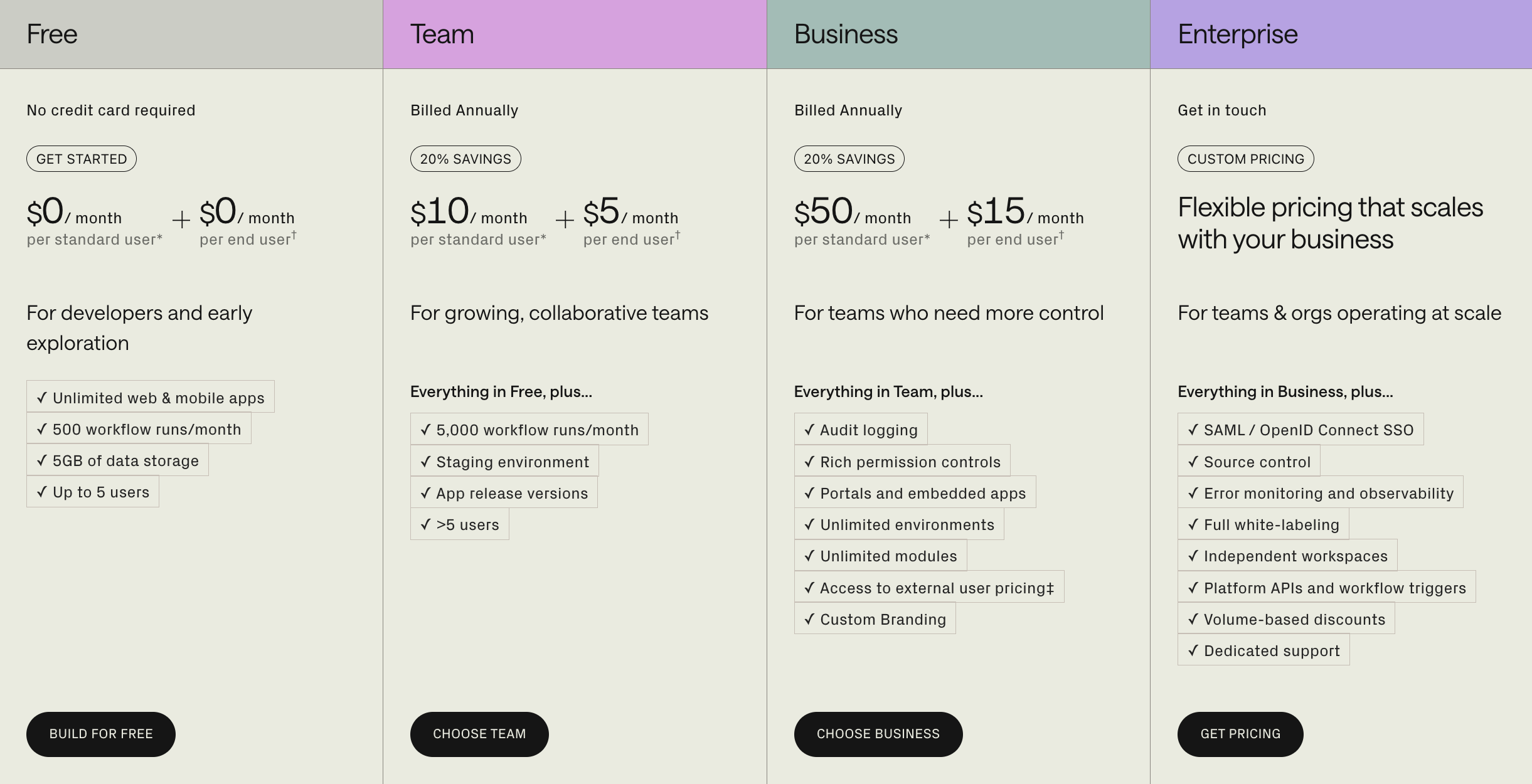
Free plan
$0/month/any user (limited features and up to 5 users)
Team plan
$10/month/standard user
$5/month/end user
Business plan
$50/month/standard user
$15/month/end user
Enterprise plan
Enterprise pricing is custom. For a fair comparison, model total cost of ownership across builders, internal users, external users, workflows, AI usage, deployment, governance, support, and migration effort - not only the first visible monthly price.
Retool reviews
The rating for Retool is 4.6 and is based on 241 reviews on G2.

Reliability feedback
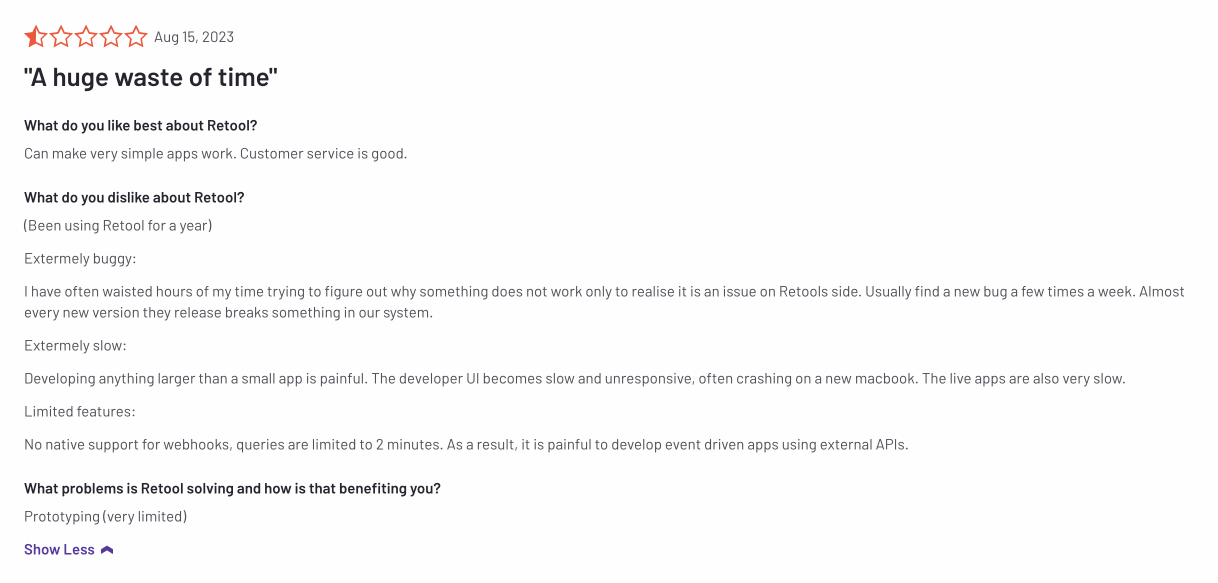
There is struggle with persistent bugs and errors in Retool, which creates a challenging environment for developing and maintaining applications. These issues significantly hinder workflow and productivity.
https://www.g2.com/products/retool/reviews/retool-review-8476483
Limited customer support
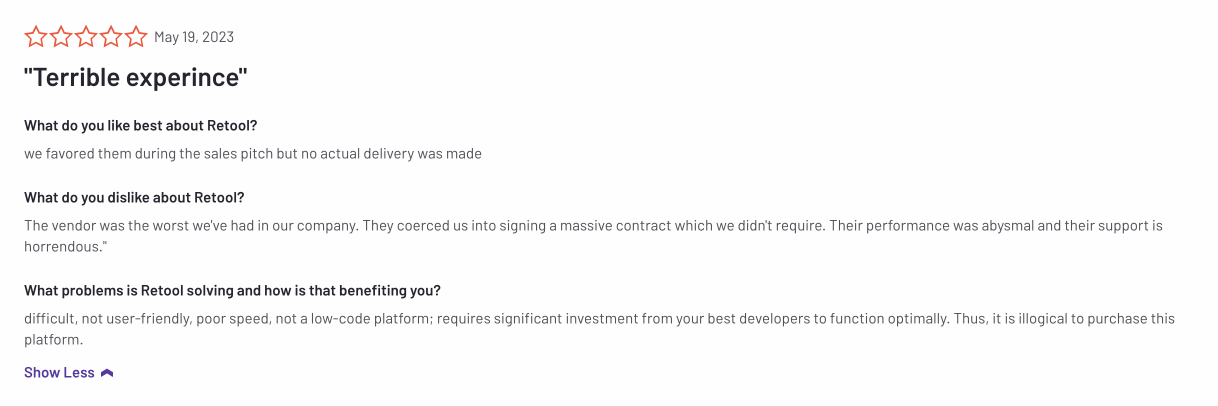
People get a good vibe from Retool when they first hear the sales pitch, but then things go downhill once they're on board. There's talk about the company being pushy, getting folks to sign big contracts that they might not really need.
https://www.g2.com/products/retool/reviews/retool-review-8108949
Pricing feedback
Retool offers an expensive UI builder for limited features and users, which doesn't allow the companies to scale and grow their internal tools.
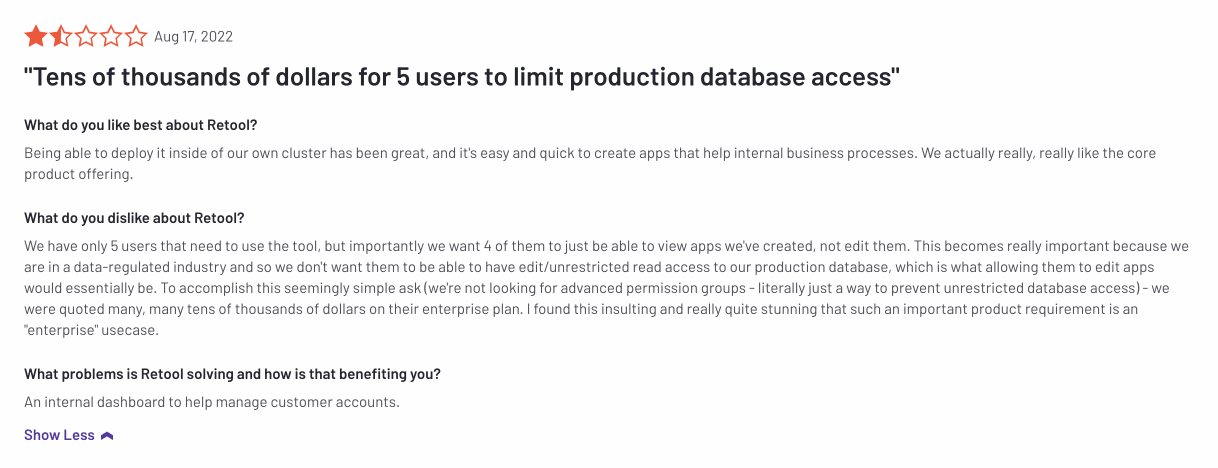
https://www.g2.com/products/retool/reviews/retool-review-6993790
Scalability feedback
People find Retool's UI easy to work with and like how they can stack components. But when things get complex, it seems the platform can get a bit glitchy. Also, the editor might slow down your computer because it's a bit of a memory hog.

https://www.g2.com/products/retool/reviews/retool-review-4548820
Conclusion
Retool is an optimal solution for businesses with an extensive budget and a high demand for internal tool creation. However, if your company's needs are limited to just one or two apps that need to be shared among multiple users, Retool may not be the most practical choice for you.
UI Bakery
UI Bakery is a low-code internal app builder for teams that want to create production-oriented business apps without starting from a blank codebase. Teams can use a visual builder, AI-assisted app generation, data sources, actions, automations, roles, environments, release history, and self-hosted deployment options depending on plan.
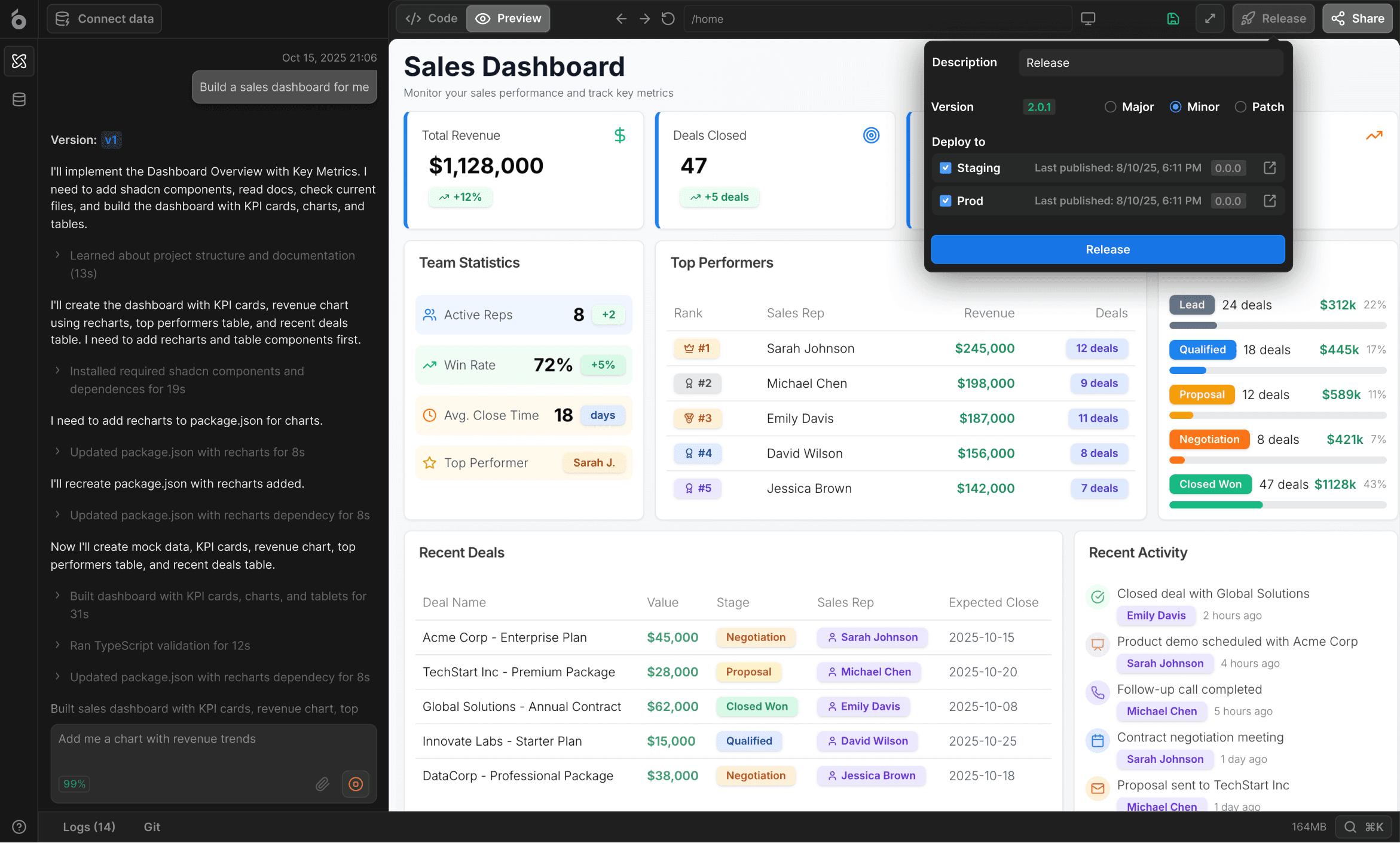
Best fit: custom internal apps, dashboards, admin panels, portals, workflow apps, and database/API-connected business tools.
Supports visual building, actions, automations, and AI-assisted app generation for teams that want faster delivery without giving up customization.
Supports Git-based version control.
Allows complex workflows with branching logic and multiple steps inside a single action.
Works seamlessly with external monitoring and analytics tools.
Offers fine-grained access control and detailed audit trails.
Developer-seat pricing and plan options can be easier to model for teams with many app users; confirm current plan limits before publishing pricing-sensitive claims.
Responsive and reliable support + SSO options for Enterprise.
May not be the right fit if your team requires an open-source framework or a very specific connector without API-based integration.
Advanced enterprise requirements should be validated with sales, especially around governance, hosting, support, and custom implementation needs.
Choose UI Bakery over Retool when you need custom internal apps, dashboards, workflow apps, database/API connectivity, AI-assisted building, flexible user access, and self-hosted deployment options - especially when pricing predictability and business-user collaboration matter alongside developer control.
Key benefits
Great pricing
UI Bakery offers strong functionality at a lower total cost, especially for teams with many internal or external users.
Fast support
Support is quick, direct, and knowledgeable. Enterprise customers can collaborate with the core team via shared Slack channels for faster resolution and guidance.
UI Component design
Generated applications follow a clean, modern UI aesthetic. Components are visually consistent and high-quality, resulting in polished end-user interfaces.
Building experience
While the AI agent handles most of the initial build, the visual editor allows easy refinement. The layout system is intuitive and efficient to work with.
Roles management
UI Bakery includes predefined roles (admin/editor/user) and supports custom roles with granular permissions at app and data levels - especially valuable for organizations with detailed access policies.
Mobile support
Applications are responsive by default, with granular controls for mobile layouts and breakpoints when fine-tuning is needed.
AI Assistance
The agent not only generates applications - it can modify, fix, extend, and debug them. This turns the building workflow into a continuous AI-assisted iteration rather than manual construction.
UI Bakery pricing
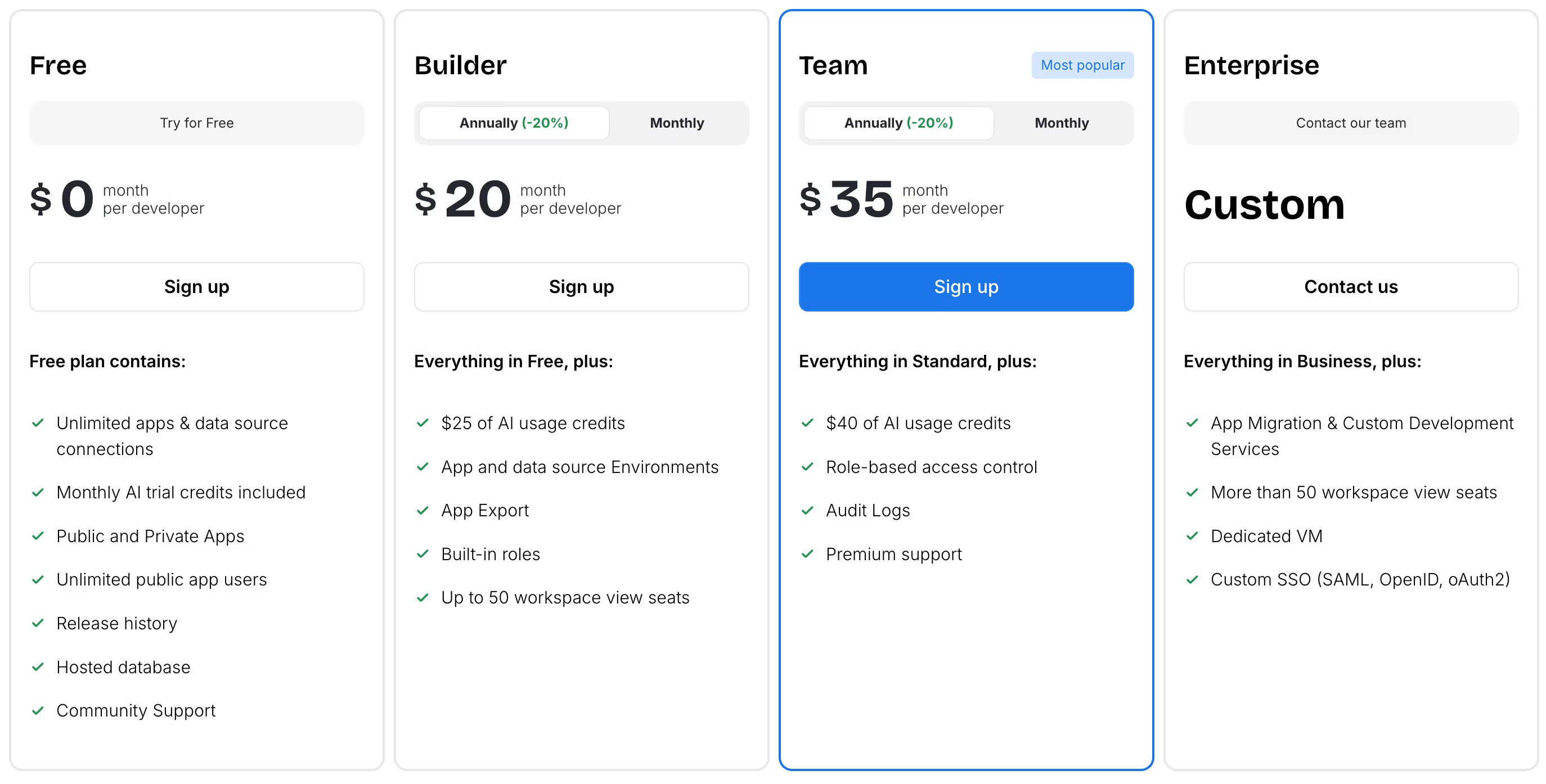
Free plan
$0/month/user
Standard plan
$5/month/user
$10/month/developer
Business plan
$10/month/user
$40/month/developer
Shared Permission Group (unlimited users): $250/month
Enterprise plan
Prices are tailored specifically to your organization needs.
UI Bakery reviews
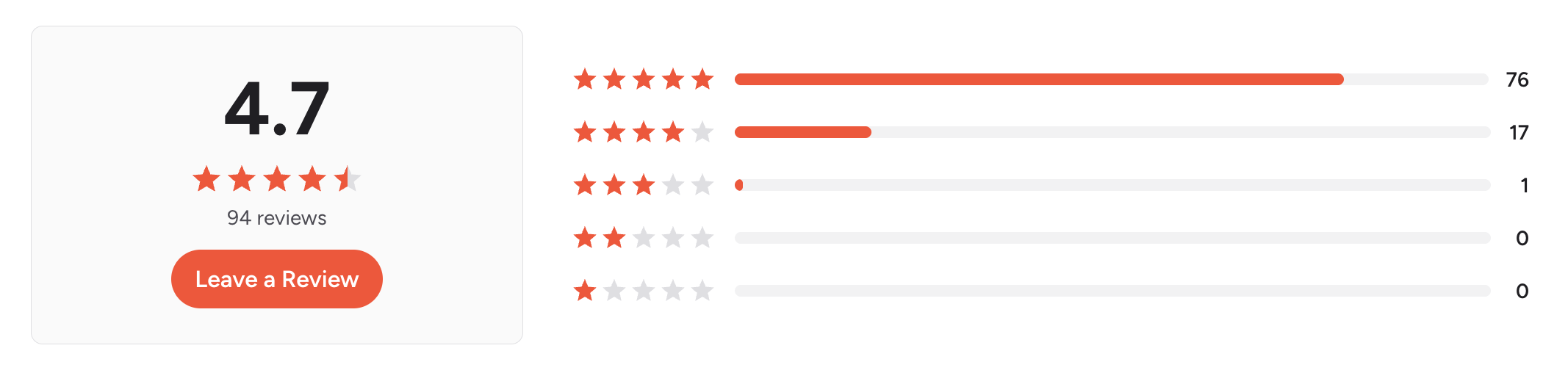
UI Bakery is rated 4.7/5 on G2 across 91 reviews.
Highly customizable
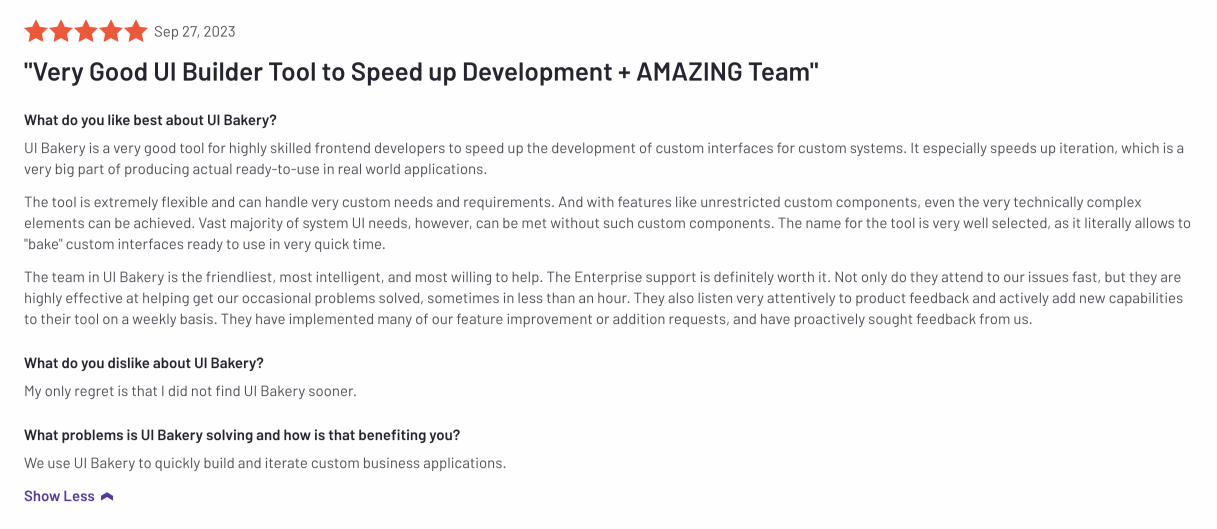
https://www.g2.com/products/ui-bakery/reviews/ui-bakery-review-8666649
Easy to work with
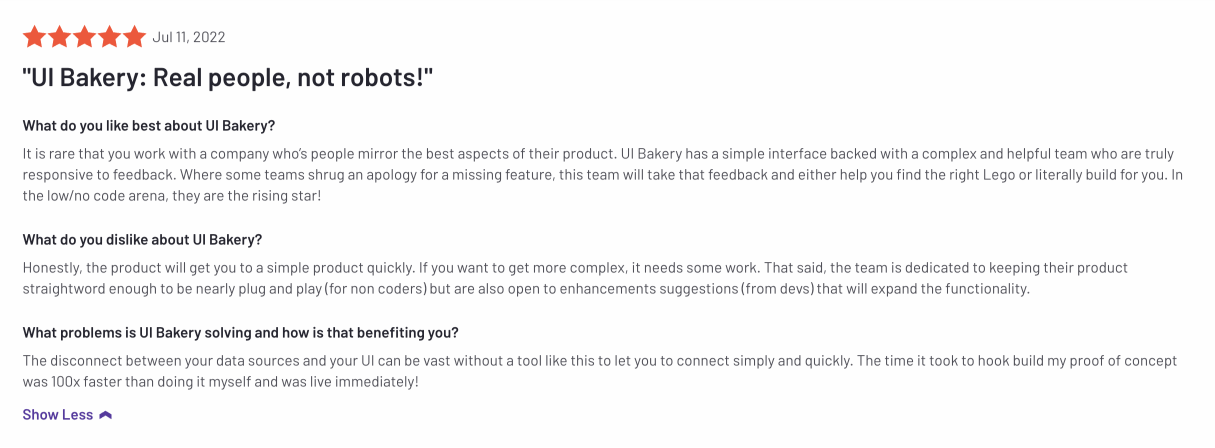
https://www.g2.com/products/ui-bakery/reviews/ui-bakery-review-6835170
Great pricing
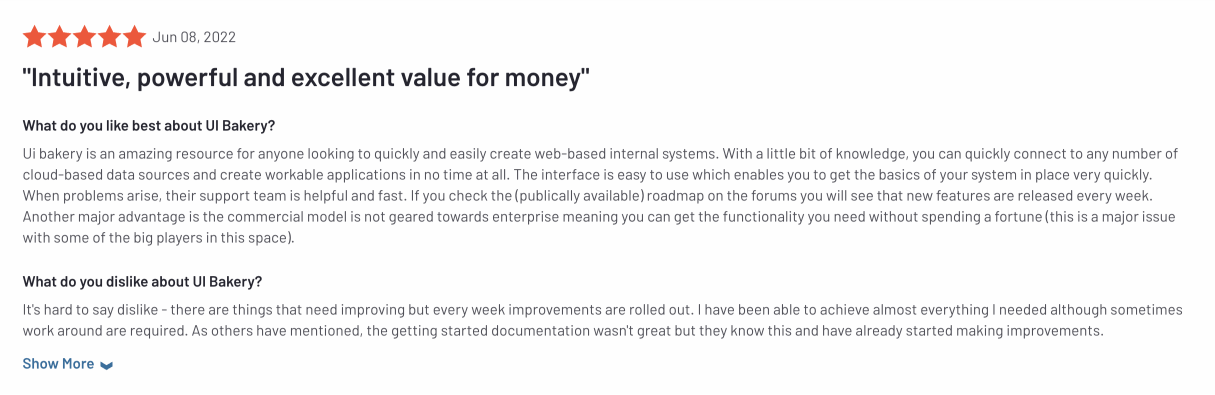
https://www.g2.com/products/ui-bakery/reviews/ui-bakery-review-6715080
Conclusion
UI Bakery is a strong alternative to Retool for companies that need to build internal applications quickly, securely, and at scale - without the high enterprise pricing overhead. Its AI agent can generate entire applications from scratch, while its roles, permissions, and deployment features support real production use across teams.
Appsmith
Appsmith is one of the most common open-source Retool alternatives. It is often a good fit for engineering teams that want to self-host, build internal dashboards, admin panels, and CRUD tools on top of data sources, and keep more control over the platform layer.
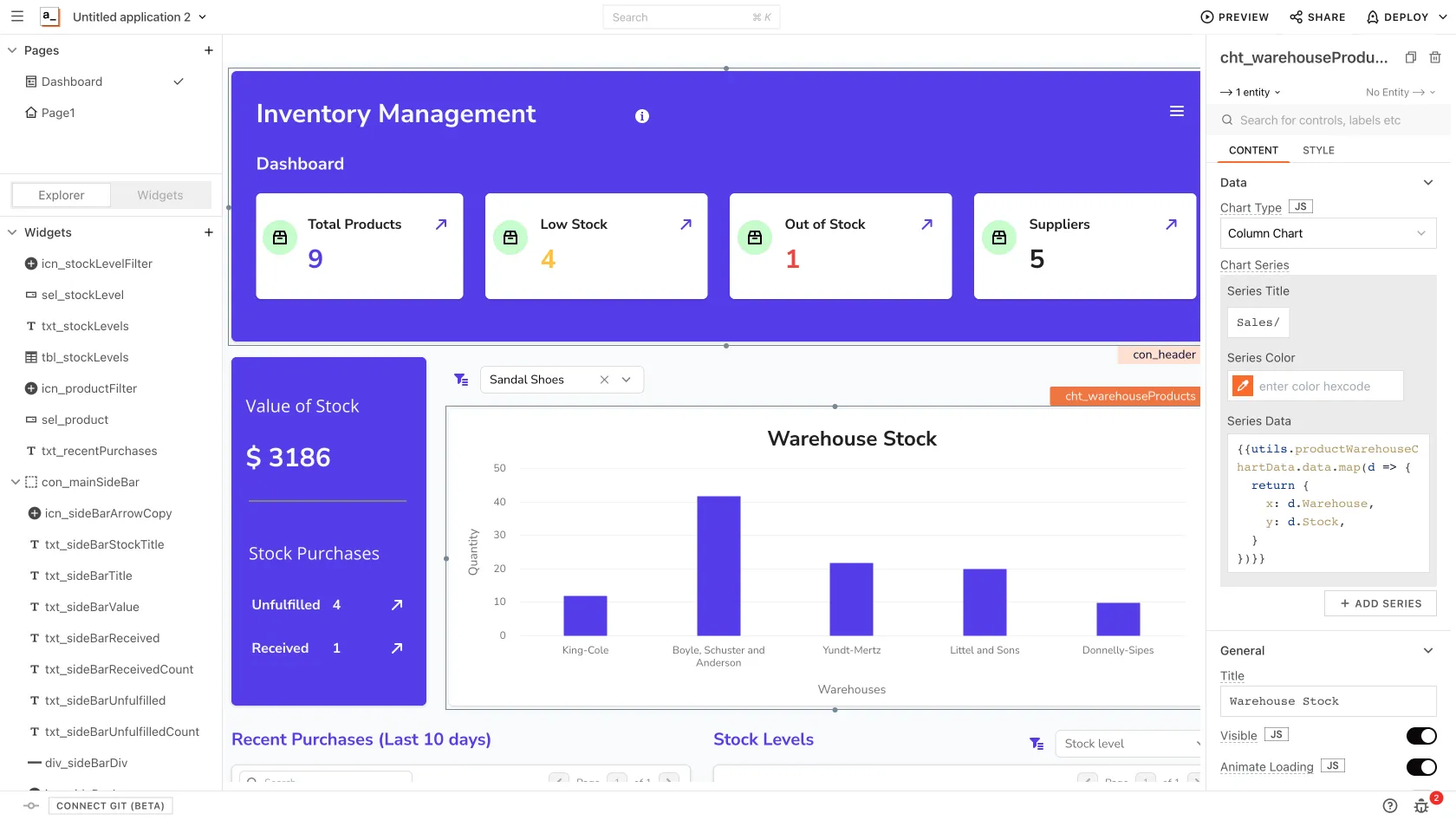
Open-source, which means that other developers can potentially audit the code they write.
Large community on GitHub.
Git integration.
Not a transparent pricing model. It’s really hard to predict the final product price, especially with per hour/per user approach.
Check whether the builder experience fits your team’s workflow and app complexity.
Only sample databases.
Not as many embedded components as Retool and UI Bakery have.
Not as many native data source connections, though has all most commonly used.
No Workflows/Automation feature.
No Environments feature
The more components the app has, the slower it works.
Appsmith pricing
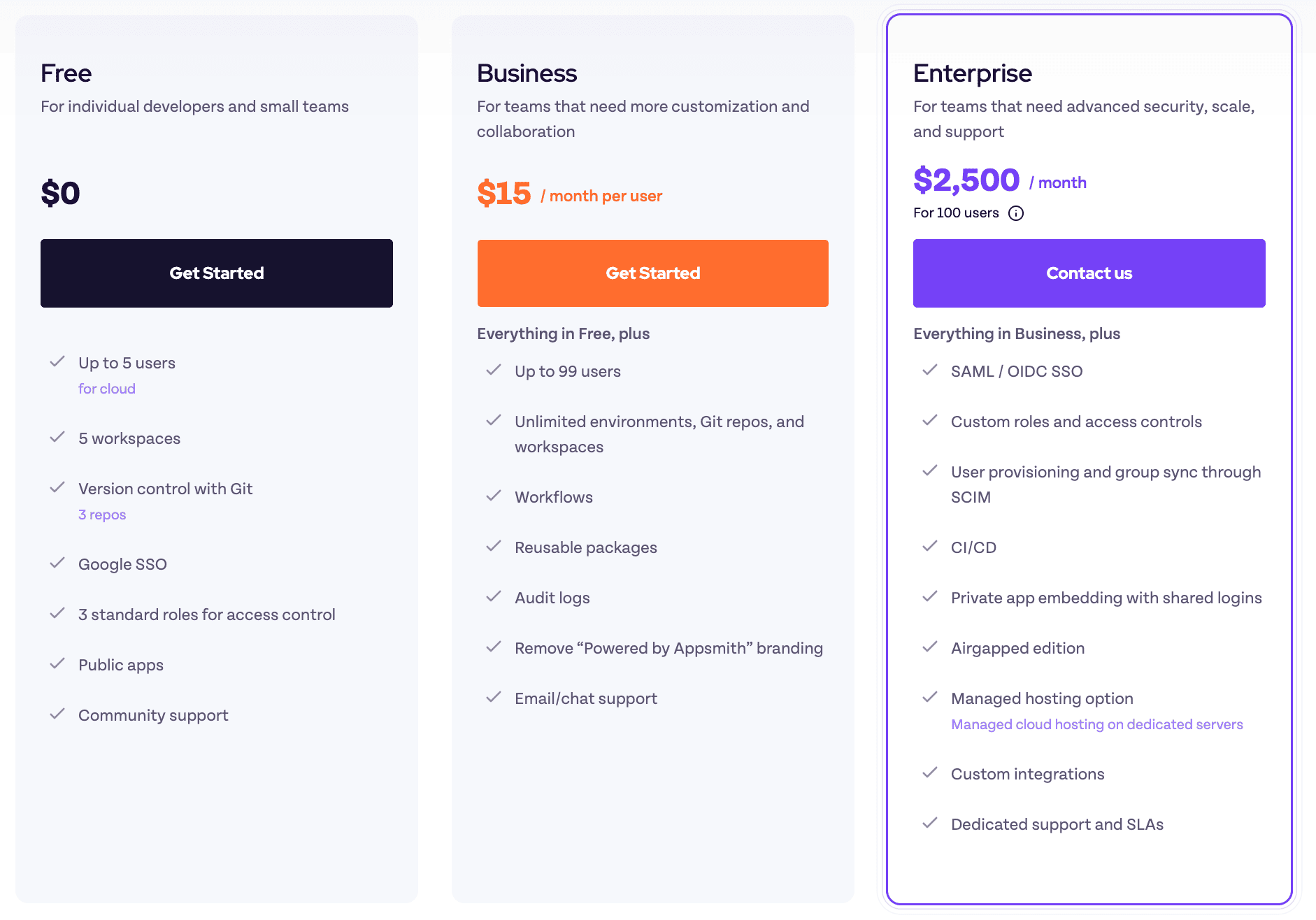
Free plan
$0/month/any user.
Business plan
$15/month/user
Enterprise plan
$2500/month/100 users
Appsmith reviews
The rating for Appsmith is 4.7 and based on 53 reviews on G2.
Conclusion
Choose Appsmith when open-source control is more important than a managed, product-led building experience. Before choosing it, model the full ownership cost: hosting, maintenance, implementation, support, and whether non-developer teams can maintain apps comfortably.
Budibase
Budibase is another Retool alternative for teams building internal apps, forms, workflows, and operational tools. It appeals to teams that want a mix of open-source availability, self-hosting, and business-app building.
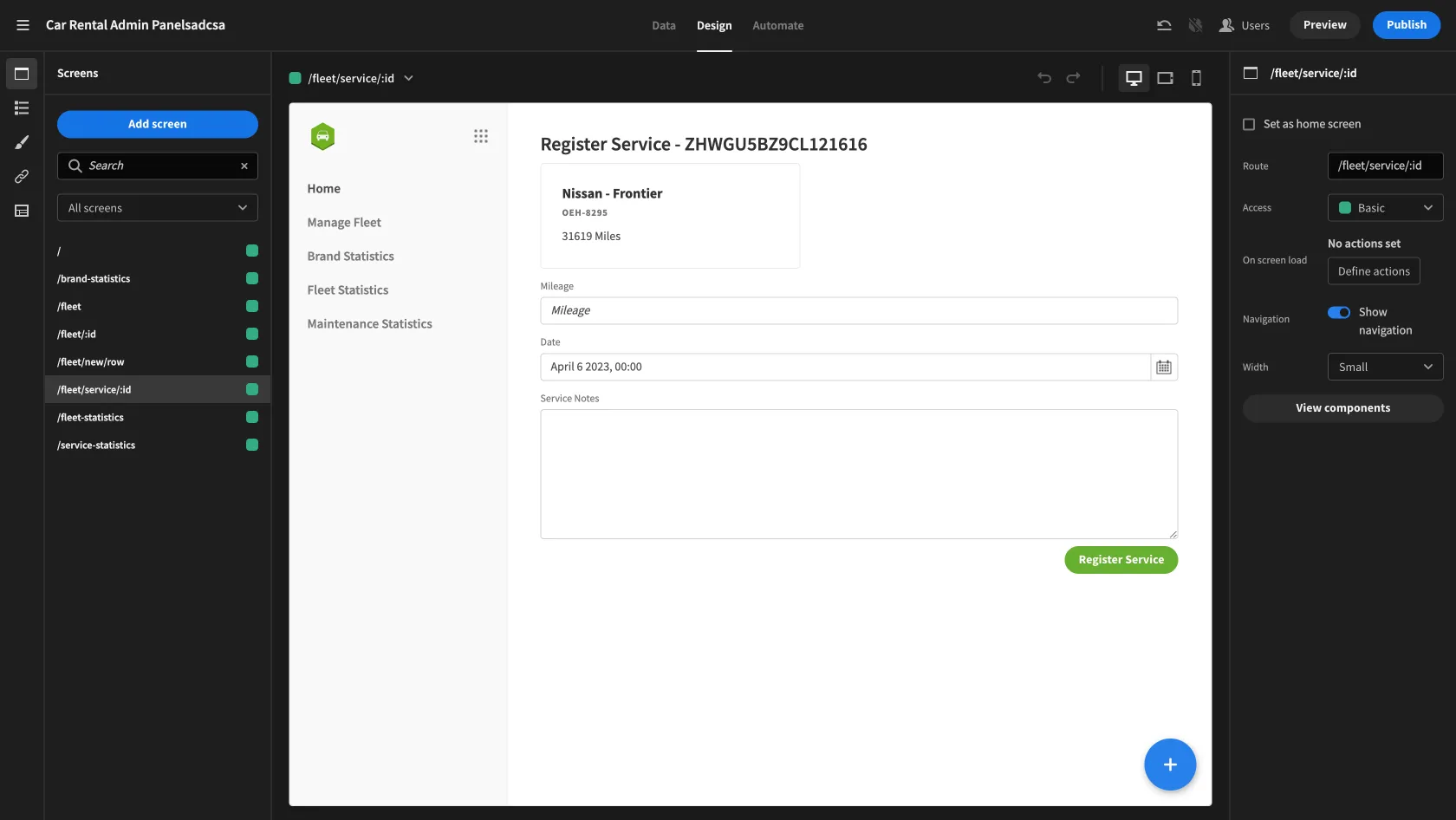
Implements some no-code concepts that allow people without coding skills to build internal apps.
Though sometimes it is implemented quite user-unfriendly.
Embedded DB.
Workflows/Automation feature.
The application's pricing model is per user. While it is cheaper than Retool's, it might still be quite cost-inefficient for larger teams, especially with infrequent users. Moreover, there are several restrictions imposed on the number of logs, automations, and applications, which may add to the difficulty of calculating the overall pricing.
Evaluate whether Budibase’s layout model and automation builder match the way your team designs and maintains internal apps.
Requires learning additional concepts, e.g. data providers.
No Git integration.
No query/action performance information.
The system for creating queries and automations is not very user-friendly. They are jumbled and you have to work in a lot of narrow overlay windows.
Small amount of native data source connections.
Small amount of embedded components.
Budibase pricing
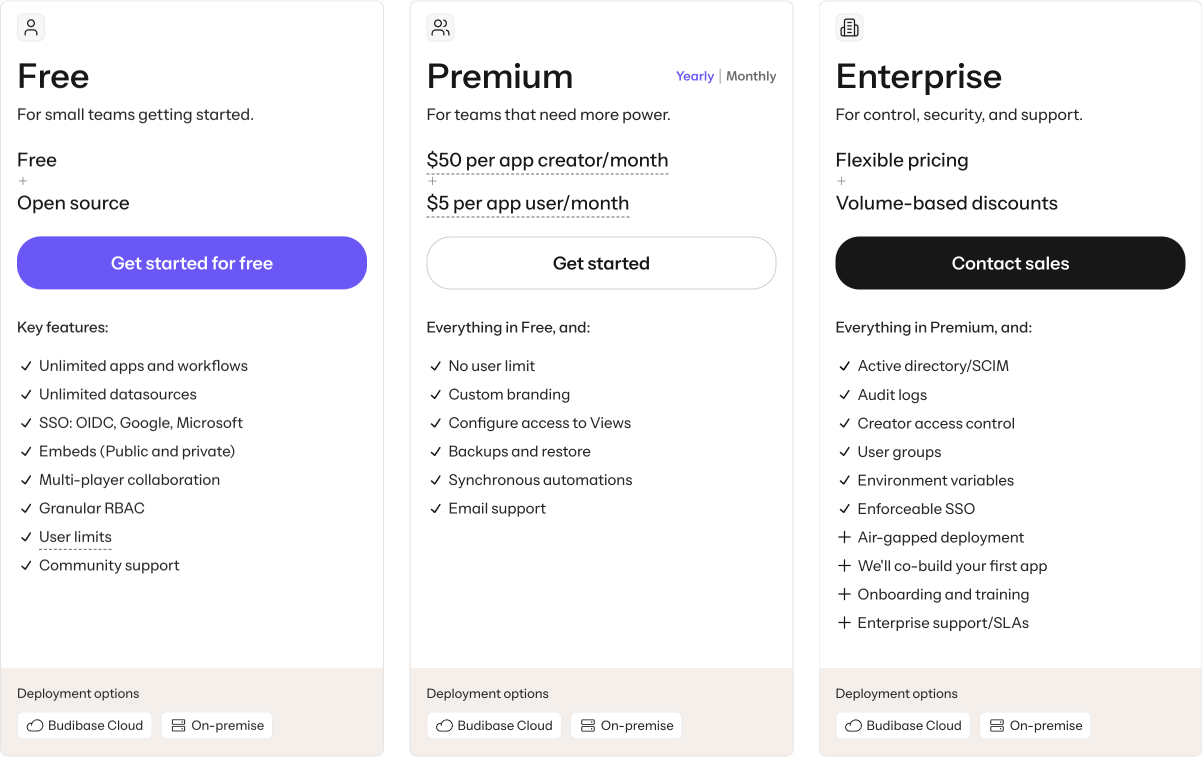
Free plan
$0/month/user.
Premium plan
$50/app creator/month.
$5/app user/month.
Enterprise plan
Custom price for maxed up security and support.
Budibase reviews
The rating for Budibase is 4.5 and based on 71 reviews on G2.

Conclusion
Choose Budibase when open-source/self-hosted flexibility and internal workflow apps are more important than advanced developer-oriented customization. Compare pricing carefully as apps, users, creators, actions, and hosting needs grow.
ToolJet
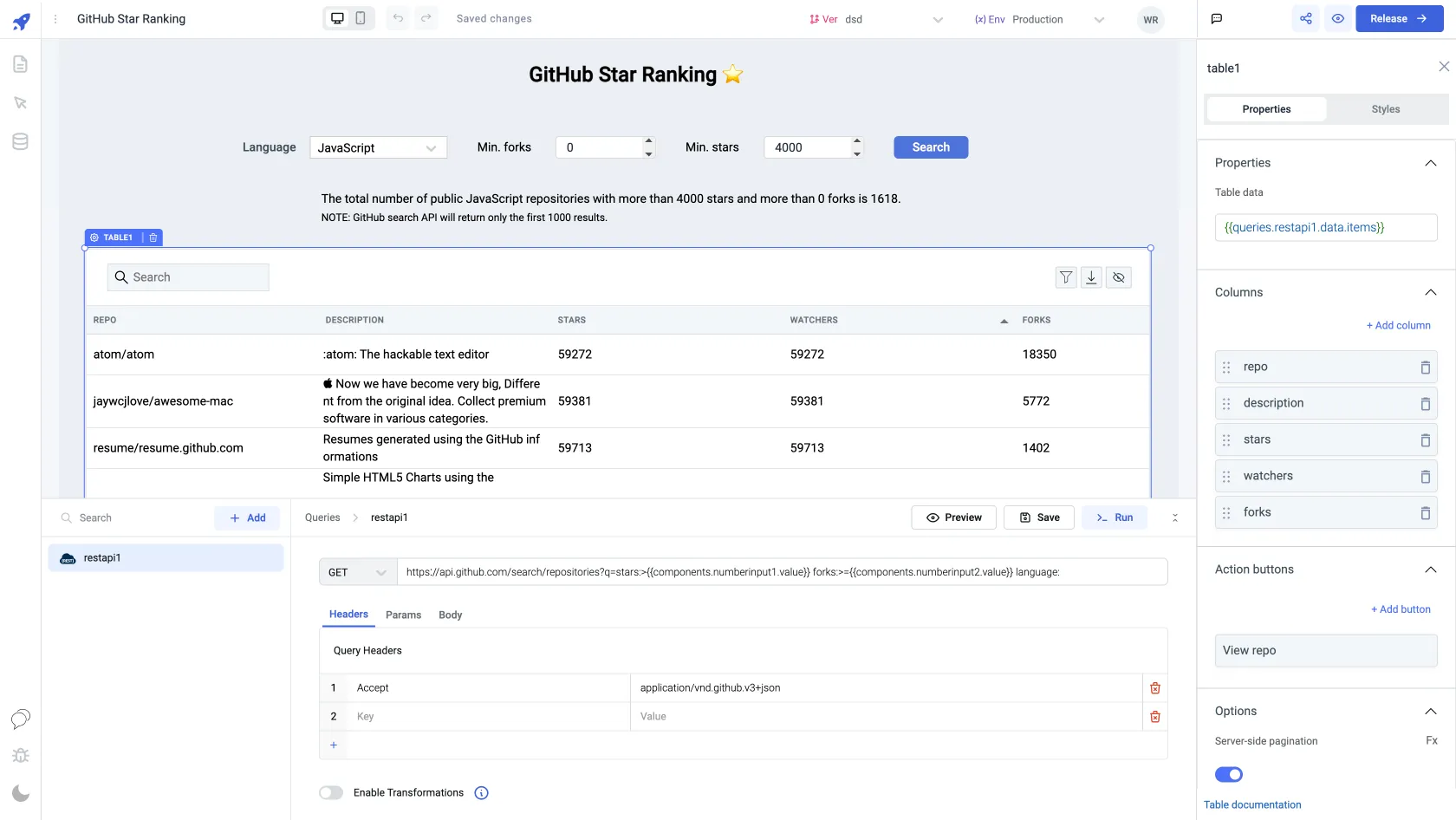
ToolJet is a Retool competitor for building internal tools, enterprise apps, AI agents, and workflows. It offers open-source and commercial options, which can make it attractive to teams that want to start small but still evaluate enterprise deployment paths.
Embedded DB.
Open-source, which means that the other developers can potentially audit the code they write.
Has a free version for self-hosting.
Has light and dark UI builder mode.
Review the builder experience with a realistic app before standardizing on the platform.
Though it has a decent number of components and data sources, often they lack configuration capabilities.
Git sync has no branches support.
No query/action performance information.
Compare builder maturity, enterprise plan limits, and implementation support before committing.
No Workflows/Automation feature publicly available.
ToolJet pricing
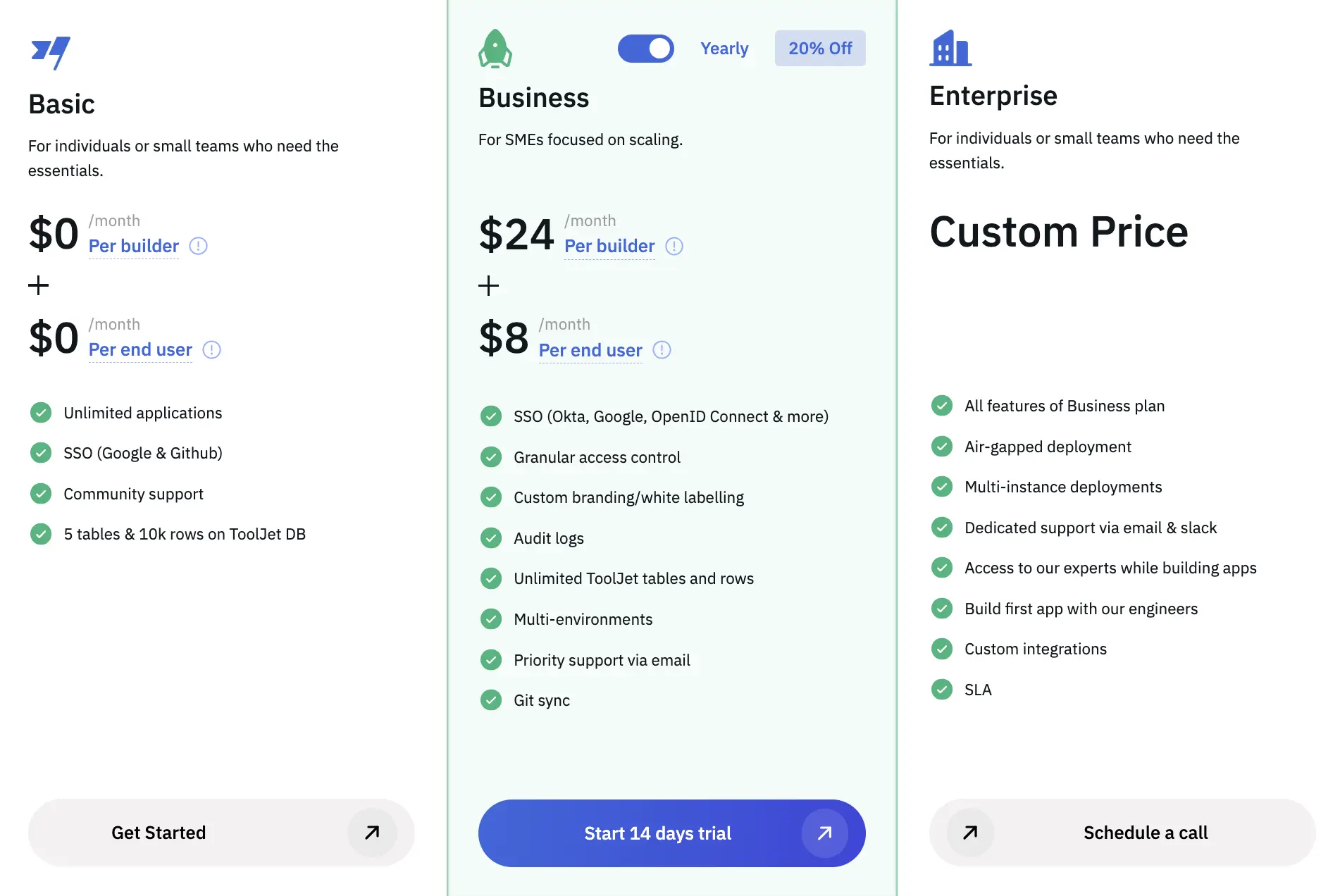
Basic plan
$0/month/builder.
$0/monthend user.
Business plan
$30/month/builder
$10/month/end user
Enterprise plan
Custom pricing that matches customer’s needs.
ToolJet reviews
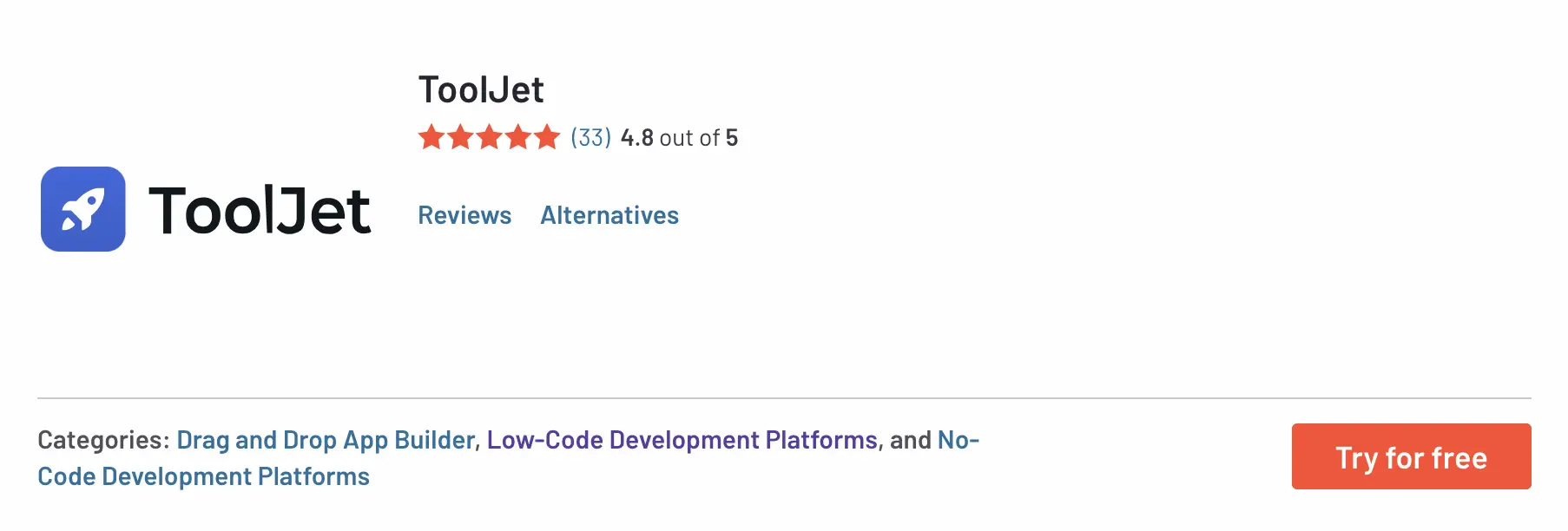
The rating for ToolJet is 4.8 and based on 33 reviews on G2.
Conclusion
Choose ToolJet when you want an open-source-oriented platform with an enterprise path and are ready to compare plan limits carefully. Check differences between free, cloud, team, and enterprise tiers before committing.
DronaHQ
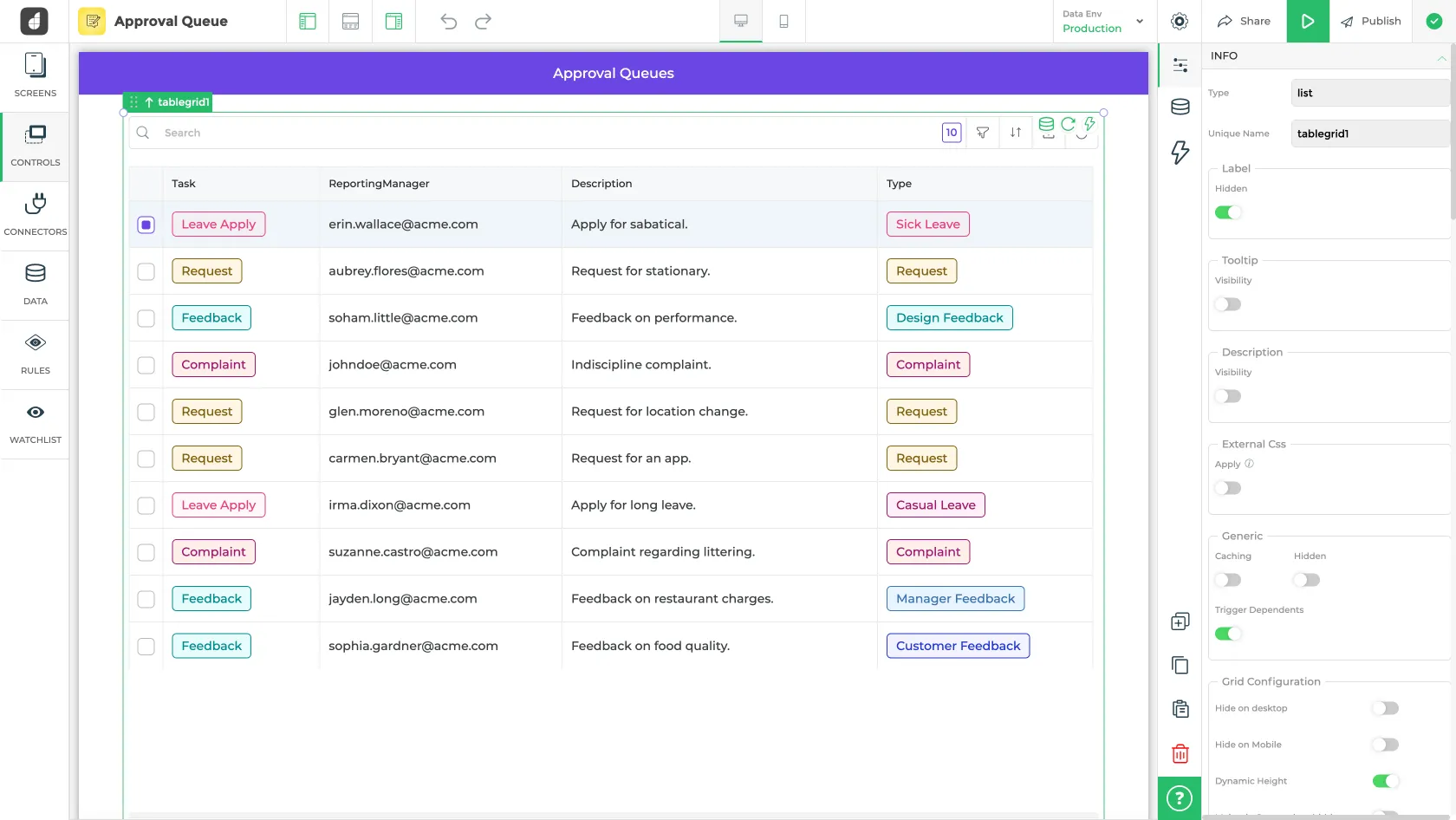
DronaHQ is a low-code platform for building internal tools and operational applications. It can be relevant when teams need web and mobile app coverage, forms, dashboards, processes, white labeling, and multiple pricing models.
The largest amount of data sources and 3rd-party services.
The largest amount of components.
Performance information only on the connector level
Workflows/Automation feature.
Git integration
UI builder canvas has usability issues.
The end-user UI is large in size.
Evaluate the builder UI with the people who will maintain apps day to day, especially if business users are involved.
Test performance with realistic data volume, query patterns, and user workflows before rollout.
Not advanced level of roles management like Retool has.
Developers and end-users are priced equally, which reduces the cost efficiency for large user bases.
DronaHQ pricing
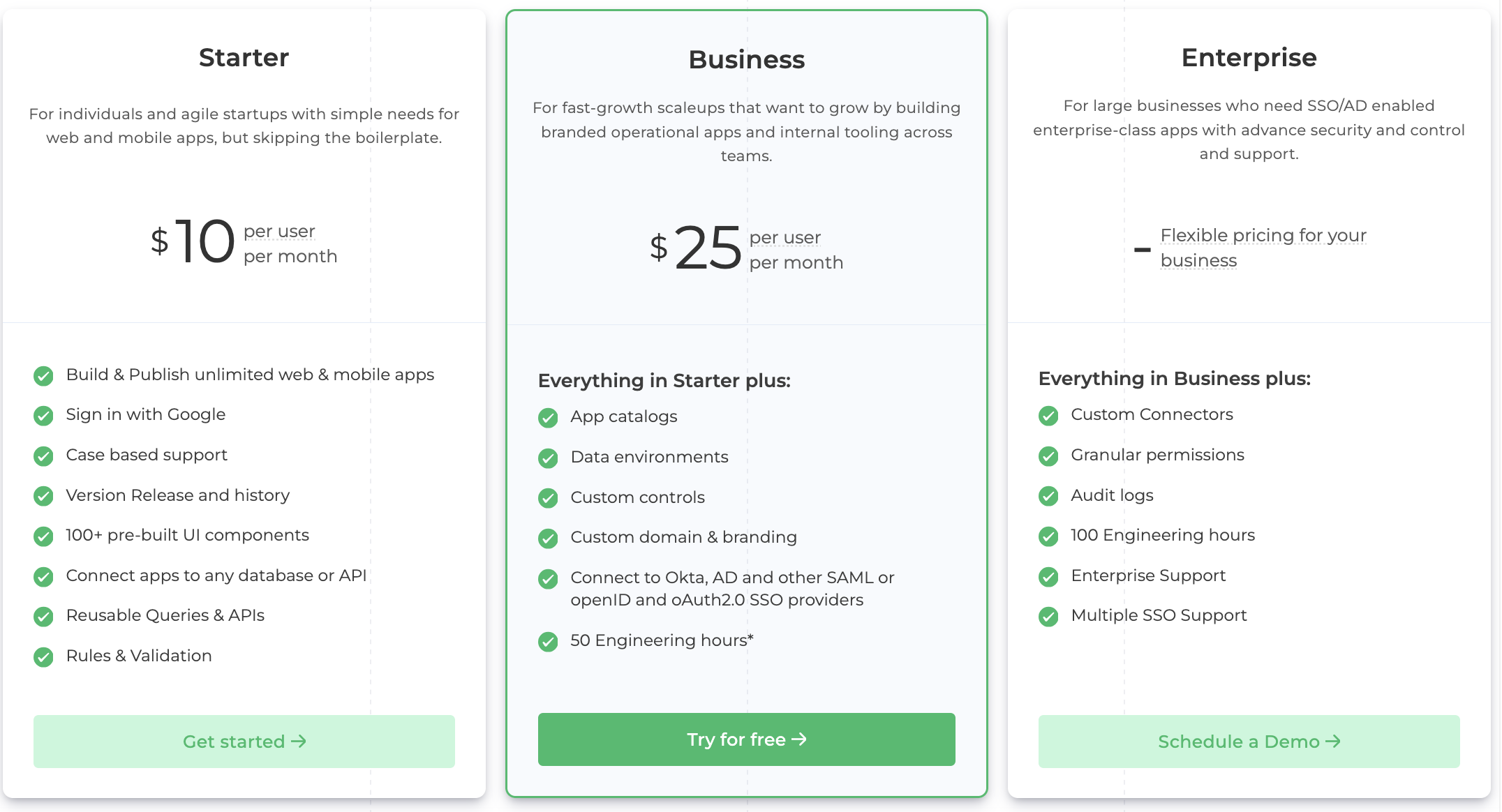
Starter plan
$10/month/user
Business plan
$25/month/user
Enterprise plan
Specialized price plans for large businesses.
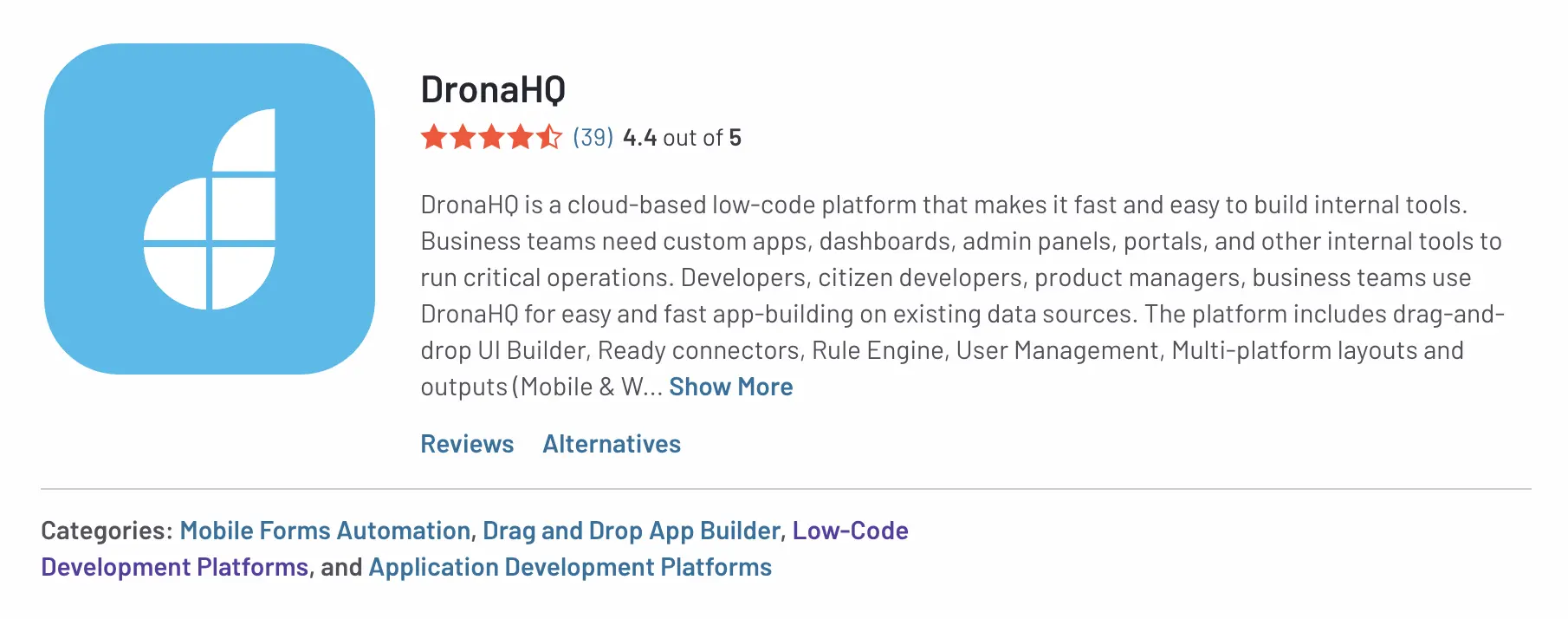
DronaHQ reviews
The rating for DronaHQ is 4.4 and based on 39 reviews on G2.
Performance and support feedback
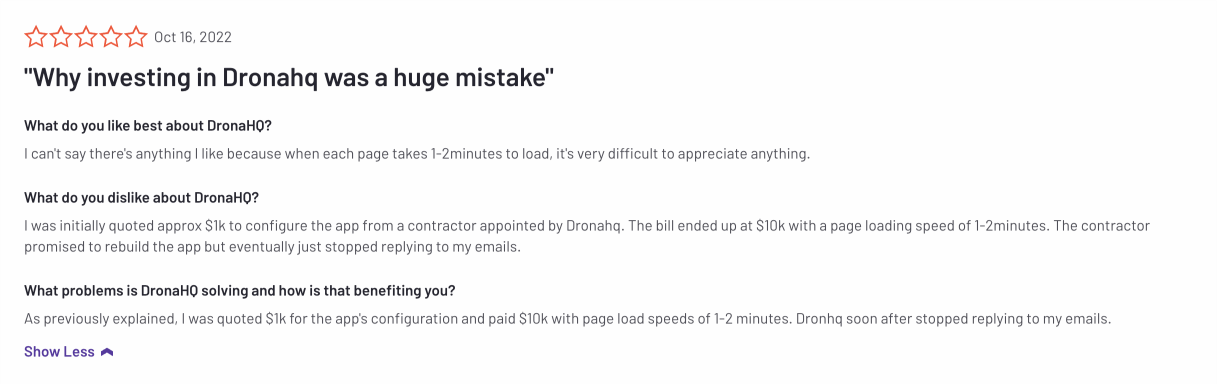
https://www.g2.com/products/dronahq/reviews/dronahq-review-7214715
Conclusion
Choose DronaHQ when you want flexible low-code app delivery across internal tools, portals, and mobile/web workflows. Compare the right pricing model for your usage pattern, especially if usage-based pricing or large user groups are involved.
Superblocks
Superblocks positions itself around enterprise app generation, governance, and AI-assisted internal software development. It may be a strong option for larger teams that need centralized IT control, enterprise governance, and AI app generation workflows.
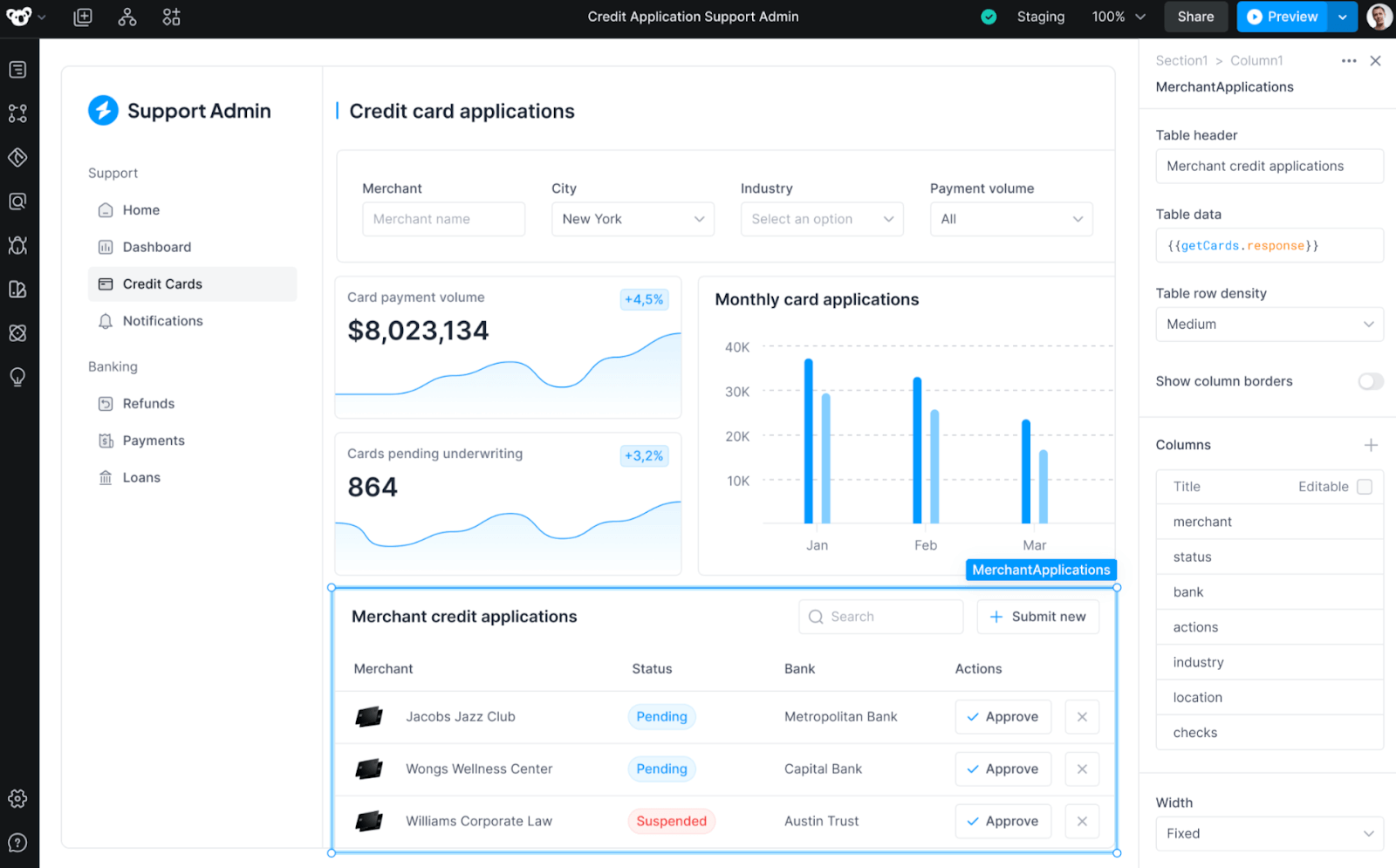
Allows complex backend APIs with NodeJS and Python, leverage Javascript on the front-end, and build custom components with React within their own IDE and filesystem.
Multi-threaded front-end for smooth UI rendering.
Superblocks AI Copilot with support to generate, explain, and debug.
Available both as On-Premise Agent a Cloud App Builder.
Integrates with observability providers like Datadog, Splunk and New RelicSupports event-driven architectures like Kafka, Confluent, and Kinesis.
Offers usage-based pricing.
Components library is quite tiny.
No Workflows support for scheduled jobs and webhooks.
Confirm platform maturity, support model, roadmap fit, and enterprise references during evaluation.
Confirm responsive app requirements and mobile usage before choosing a platform.
Git integration is only at basic support.
Doesn’t support an air-gapped deployment.
No full control over platform upgrade.
Superblocks pricing
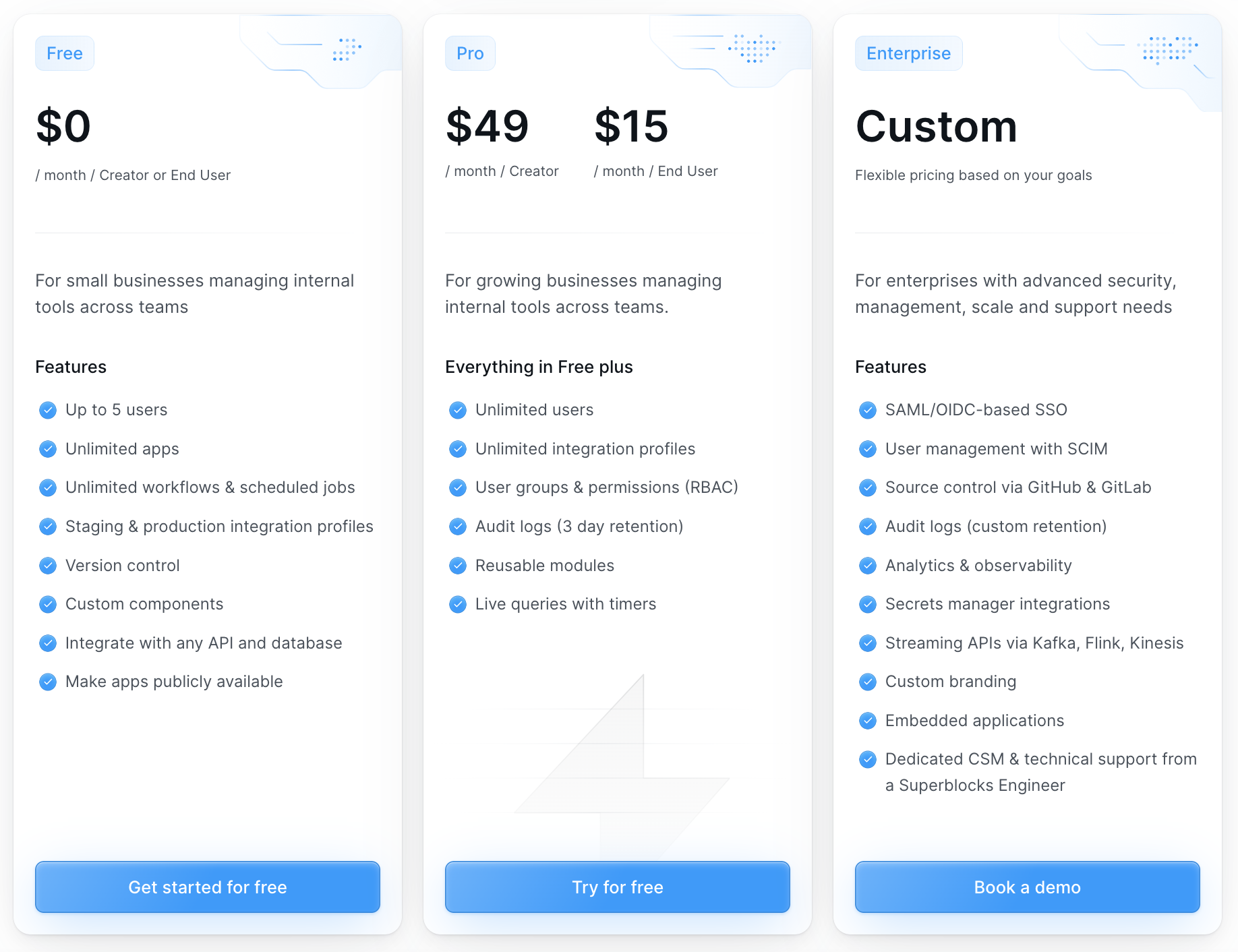
Free plan
$0 per user / month
Business plan
$49/month/creator
$15/month/user
Enterprise plan
Custom Pricing Plan.
Superblocks reviews
The rating for Superblock is 4.7 and based on 157 reviews on G2.
Conclusion
Choose Superblocks when enterprise governance and AI app generation are the primary evaluation drivers. Smaller teams should confirm whether the platform scope, pricing, and implementation model match their actual internal tool needs.
Jet Admin
Jet Admin is a no-code business app builder that can work for teams that want to create simple internal tools, dashboards, admin panels, and portals without heavy engineering involvement.
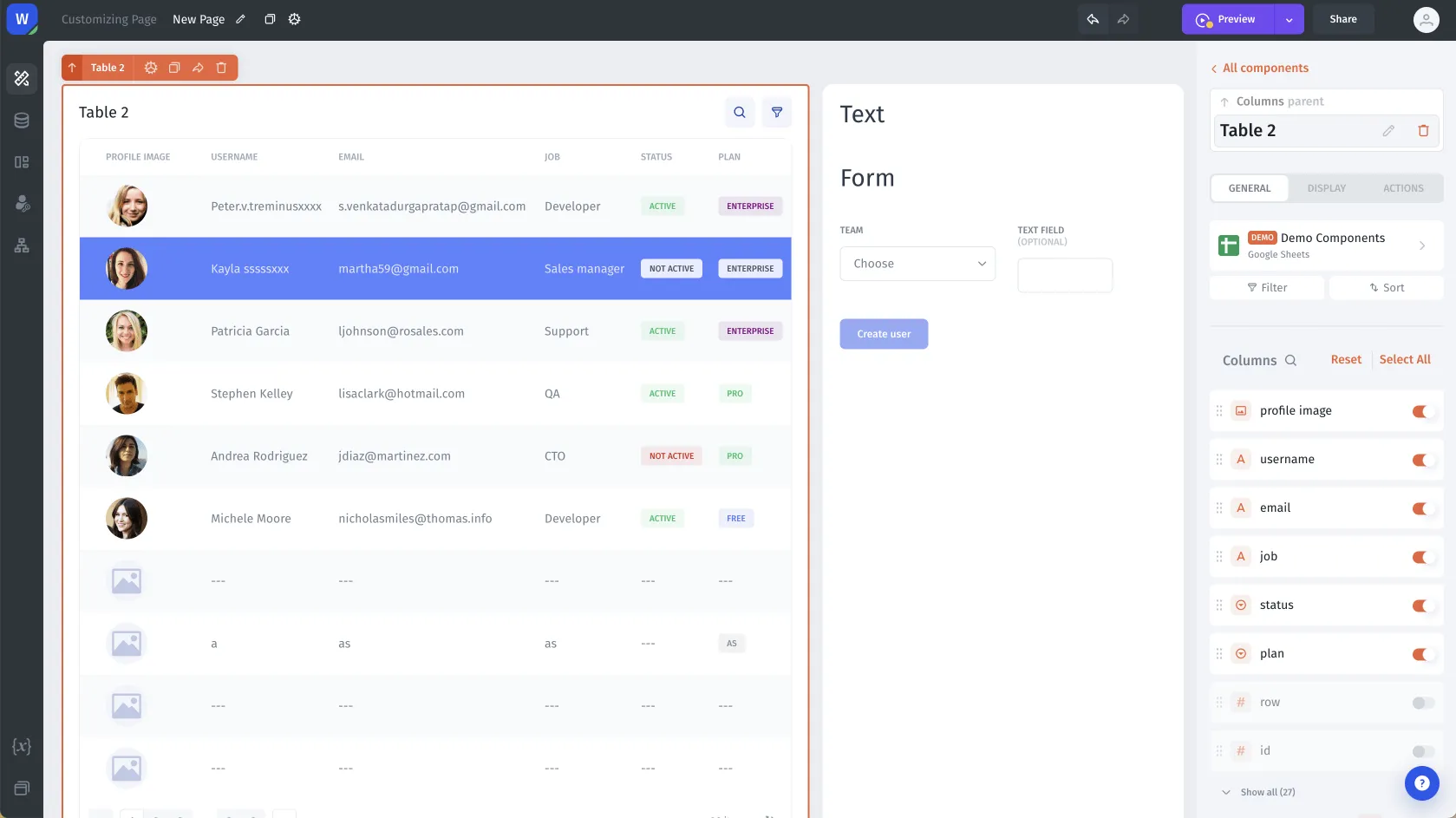
No coding skills required for building UI. But it is necessary to be familiar with the general concepts.
Easy to build CRUD apps.
Workflows/Automation feature.
Nice looking UI, but is too large for business apps.
No-code speed can come with customization tradeoffs, so validate complex workflows and developer handoff needs early.
Vertically stacked and container based drag'n'drop - a rather atypical method of constructing an interface that differs from other similar applications.
No Git integration.
No query/action performance information.
The price for a minimum plan is quite high. Besides that with a lot of apps and users, the cost might scale rapidly.
Jet Admin pricing
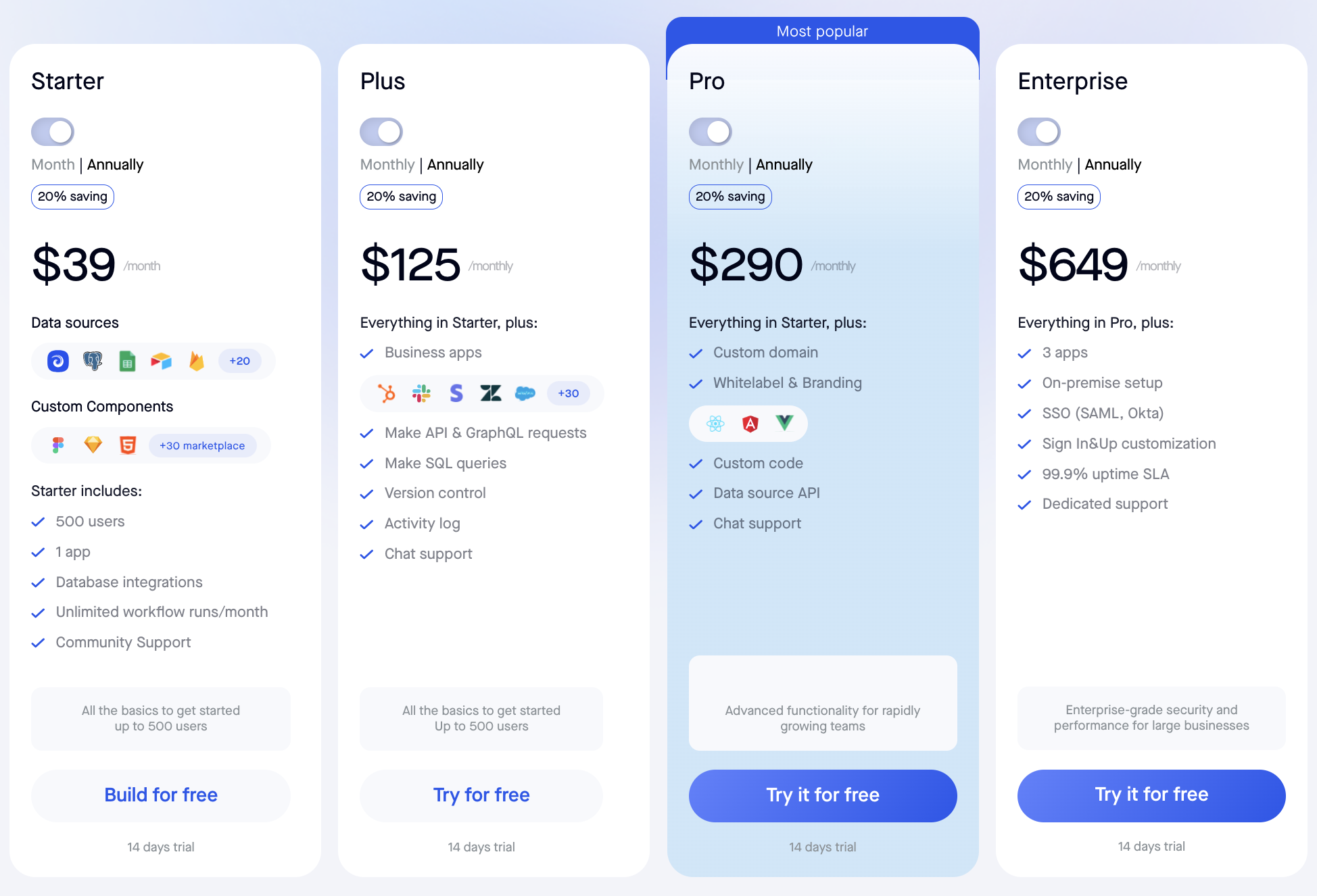
Starter plan
$39/month/500 users.
Plus plan
$125/month/500 users.
Pro plan
$290/month/500 users.
Enterprise plan
$649/month/500 users.
Jet Admin reviews
The rating for Jet Admin is 4.2 and based on 6 reviews on G2.
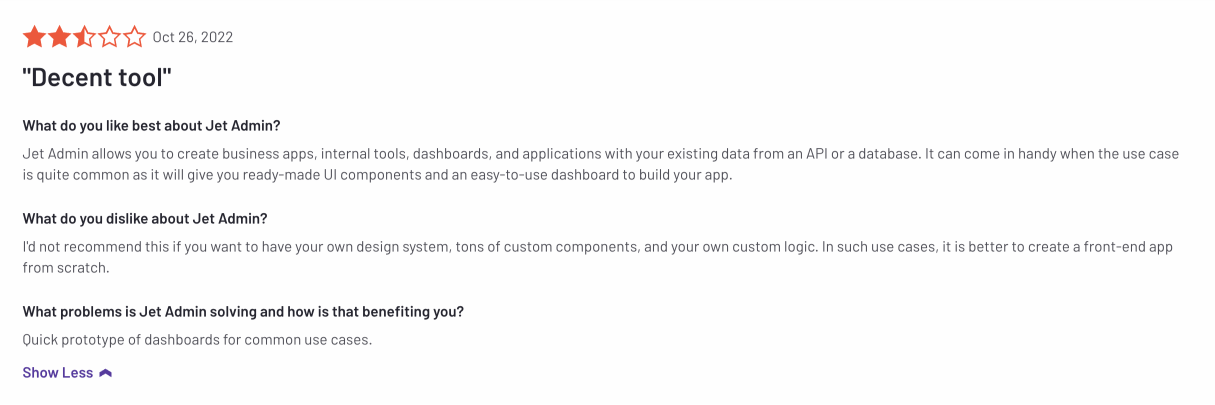
Customization limits
Despite the good basic features, users find that JetAdmin lacks customization for creating internal apps.
https://www.g2.com/products/jet-admin/reviews/jet-admin-review-7261699
Conclusion
Choose Jet Admin when no-code app assembly is more important than deep customization or developer workflows. For more customizable internal tools with developer involvement, compare it with UI Bakery, Appsmith, and ToolJet.
🏁 To sum it all up
The best Retool alternative depends on why you are switching. If the main issue is pricing, model builders, internal users, external users, workflows, AI usage, deployment, support, and migration work together. If the main issue is product fit, compare app-building experience, governance, deployment, customization, and long-term ownership. UI Bakery should be on the shortlist for teams that need custom internal apps, dashboards, workflow apps, database/API connectivity, AI-assisted building, and self-hosted deployment options.
Before switching from Retool, create a simple migration inventory: active apps, connected databases and APIs, authentication and permissions, custom JavaScript, workflows, scheduled jobs, external users, embedded apps, and apps that should be redesigned instead of rebuilt as-is. Start with one non-critical pilot before planning a larger migration.
